
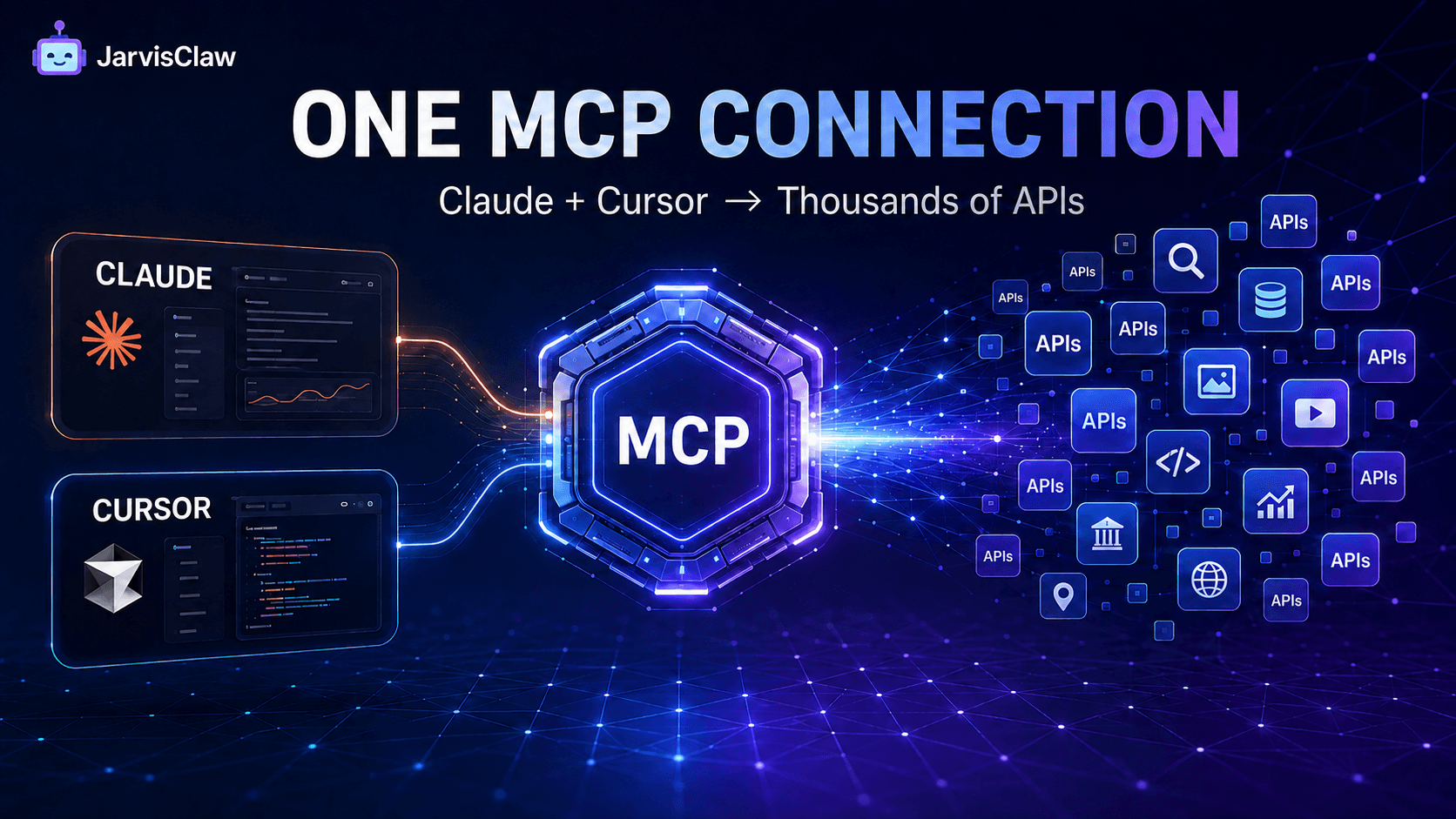
Most AI coding assistants can write an API integration. The slower part is everything around it: finding a suitable provider, reading its documentation, creating an account, storing another key, checking the price, mapping parameters, and maintaining the integration when the provider changes.
JarvisClaw reduces that work to one MCP connection. Add its remote MCP endpoint to Claude Code or Cursor, provide one JarvisClaw API key, and your assistant can discover models and API tools through a common interface.
Instead of pre-integrating every possible service, you give the AI client a searchable tool layer that can expand with the task.
This guide shows the actual configuration, how to verify it, how to run a realistic first task, and how to avoid the security and cost-control mistakes that often appear in MCP deployments.
Read this article: “How AI Agents Discover, Pay for, and Call APIs with MCP and x402” to learn more
What “One Line of MCP Config” Really Means
The essential line is the remote server URL:
https://api.jarvisclaw.ai/mcpThat URL is the connection point. A complete configuration also includes the server name and an authorization header.
You do not need to install a separate connector for every model, search service, market-data endpoint, image tool, or other API exposed through the platform.
After connection, the client can request a tool list and decide which function fits the current task. JarvisClaw exposes tools for listing models, chatting with a selected model, searching APIs, inspecting endpoint details, discovering agents, resolving task intent, estimating cost, and executing within a defined budget.
This is the practical benefit of MCP: the AI client receives structured tool definitions instead of relying on a prompt that describes an API in plain English.
Connect JarvisClaw to Claude Code
First, create a JarvisClaw API key in the platform console.
Treat it as a secret. Do not paste a production key into documentation, screenshots, public repositories, or shared prompt files.
Add the following block to ~/.claude.json:
{
  "mcpServers": {
    "jarvisclaw": {
      "type": "url",
      "url": "https://api.jarvisclaw.ai/mcp",
      "headers": {
        "Authorization": "Bearer sk-your-api-key"
      }
    }
  }
}
Replace sk-your-api-key with your own key, save the file, and restart Claude Code so it reloads the MCP configuration.
Then ask a low-risk discovery question:
Use JarvisClaw to list the available tools. Do not execute a paid API call.This prompt is intentionally specific. It confirms that Claude can see the MCP server while preventing an unnecessary paid test.
Connect JarvisClaw to Cursor
For a project-level Cursor connection, create this file in the project root:
.cursor/mcp.jsonAdd:
{
  "mcpServers": {
    "jarvisclaw": {
      "url": "https://api.jarvisclaw.ai/mcp",
      "headers": {
        "Authorization": "Bearer sk-your-api-key"
      }
    }
  }
}
Restart Cursor or reload the window. Open the MCP settings and confirm that jarvisclaw is enabled.
For the first test, ask Cursor:
Search JarvisClaw for APIs that can retrieve current cryptocurrency market data. Show the available choices, required parameters, and estimated price. Do not call an endpoint yet.This is a better test than asking the assistant to “use an API.”
It checks three separate capabilities: marketplace search, endpoint inspection, and pre-execution cost visibility.
A Real Workflow: Research Without Building Three Integrations
Consider a developer building a weekly competitor-monitoring workflow.
The agent may need to search the web, retrieve structured market data, summarize the results with an LLM, and create an image for a report.
The traditional approach may require separate providers, credentials, SDKs, error formats, and billing accounts.
Through JarvisClaw MCP, the workflow can begin with the desired outcome:
Find recent public information about three competitors, compare their latest product announcements, and prepare a five-point summary. Before using paid tools, show the proposed tools and total estimated cost. Do not spend more than $0.05.A well-controlled agent should then:
- Search for suitable API tools.
- Inspect their required inputs and per-call prices.
- Choose tools that fit the task and budget.
- Ask for approval if the expected cost exceeds the limit.
- Execute the calls and return the results.
- Report which tools were used and what was spent.
The hidden advantage is not simply access to more APIs. It is late binding: the workflow can select a suitable service when the task is known instead of forcing the developer to choose and integrate every provider in advance.
Direct Tool Selection vs Intent-Based Routing
JarvisClaw supports two useful working styles.
With direct tool selection, the assistant searches the marketplace, inspects a specific endpoint, and calls it.
Use this method when output consistency, a known data source, or exact endpoint behavior matters.
With intent-based routing, the assistant starts from the task—for example, web search, translation, image generation, video generation, knowledge retrieval, or data analysis.
The platform can then rank suitable providers and execute the task within a budget constraint.
Use direct selection for repeatable production workflows.
Use intent routing when provider flexibility is valuable or when the available services may change.
For important tasks, instruct the agent to show the proposed provider, parameters, and price before execution.
Discovery Is Not the Same as Execution

One of the easiest MCP mistakes is allowing the assistant to move from “find a tool” to “run the tool” without a clear boundary.
JarvisClaw separates discovery from paid execution. Operations such as initialization and tool or resource listing can be used to inspect the environment.
Paid activity begins when the client makes a tool call that invokes a billable service.
Use prompts that make this boundary explicit:
Search and compare first. Do not execute until you have shown the endpoint, required parameters, expected output, and estimated cost.For autonomous workflows, use budget-aware execution rather than depending on wording alone.
A prompt is a behavioral instruction. A hard spending limit is an enforceable control.
Security and Budget Checklist Before Production
Do not treat an MCP connection as a harmless chat feature.
It gives an AI client access to executable tools, so the same care used for conventional API integrations still applies.
- Use separate API keys for development and production.
- Never commit
.cursor/mcp.jsonif it contains a real key. - Prefer environment-based secret injection when your client supports it.
- Start with a low prepaid balance or strict spending cap.
- Require confirmation for high-cost or irreversible actions.
- Allow only the tools needed by the workflow.
- Log the selected tool, parameters, cost, and result status.
- Review instructions from external content before allowing tool execution.
The last point matters because an agent may read a webpage, document, or repository containing malicious instructions.
External content should be treated as data, not as authority to spend money or call additional tools.
Common Setup Errors
The MCP Server Does Not Appear
Check the configuration file location, confirm that the JSON is valid, and restart or reload the client.
A missing comma or an extra trailing comma can prevent the entire MCP configuration from loading.
The Server Connects but Tool Calls Fail
Verify that the authorization header uses the exact format:
Bearer sk-your-api-keyAlso confirm that the key is active and the account has enough balance for the selected paid call.
Cursor Works in One Project but Not Another
A .cursor/mcp.json file stored in a project root is project-specific.
Add the configuration to the other project or use Cursor’s supported global MCP configuration if you need broader access.
The Assistant Chooses an Expensive Tool
Ask it to estimate the cost before execution and provide a hard maximum.
When consistency matters, specify an approved endpoint instead of allowing open-ended routing.
The Assistant Sees Too Many Similar Tools
Give the task clearer constraints:
- Required data type
- Geographic coverage
- Data freshness
- Response format
- Maximum price
- Preferred provider
Better constraints improve tool selection more than a longer general prompt.
Why This Matters for Agent Development

MCP reduces integration friction, but its larger value is architectural.
It separates what an agent needs to accomplish from the provider-specific code used to accomplish it.
With JarvisClaw, Claude Code and Cursor can use the same MCP endpoint to discover tools, compare options, estimate costs, and call services.
Developers can keep fixed integrations for critical workflows while using the marketplace and intent routing for long-tail tasks that would not justify a dedicated integration.
The result is a more flexible agent stack: fewer credentials to manage, less glue code, clearer cost controls, and faster access to new capabilities.
If your assistant can describe the task, inspect the available tools, and operate within a budget, one MCP connection can replace a growing collection of one-off integrations.
Explore JarvisClaw and review the MCP documentation before connecting a production environment.
FAQ
What is the JarvisClaw MCP server URL?
The remote MCP endpoint is:
https://api.jarvisclaw.ai/mcpCan I use the same MCP server with Claude Code and Cursor?
Yes. Both clients can connect to the same JarvisClaw endpoint. The main difference is where each client stores its MCP configuration.
Do I need a separate API key for every service?
No. With prepaid JarvisClaw access, one platform key can authenticate calls across supported models and marketplace APIs.
JarvisClaw also supports wallet-based x402 payment for compatible agent workflows.
Does searching for an API cost money?
Tool discovery and listing are separate from paid execution. Review the current endpoint price before calling a billable service.
How can I stop an AI agent from overspending?
Use a hard budget or maximum-call price, keep a limited balance, restrict available tools, and require human approval when a task exceeds the normal threshold.
Is MCP safer than adding many API keys?
It can reduce credential sprawl, but the MCP credential still needs strong protection.
Use separate environments, least-privilege access, spending limits, and execution logs.
What can Claude or Cursor do after connecting?
They can inspect available models and tools, search the API marketplace, review API details, estimate task costs, use intent-based routing, and execute supported services according to the permissions and budget you provide.
Build the Future of AI with JarvisClaw
AI is moving beyond individual models toward a connected ecosystem of models, APIs, agents, and intelligent services.
JarvisClaw provides the infrastructure developers need to build this future — combining 80+ AI models, OpenAI-compatible APIs, Smart Routing, MCP support, x402 payments, and AI Agent-ready capabilities in one platform.
Whether you are building AI SaaS products, autonomous agents, automation workflows, or next-generation applications, JarvisClaw helps you integrate faster, optimize costs, and scale with confidence.
One API. Multiple Models. Agent-Ready AI Infrastructure.