
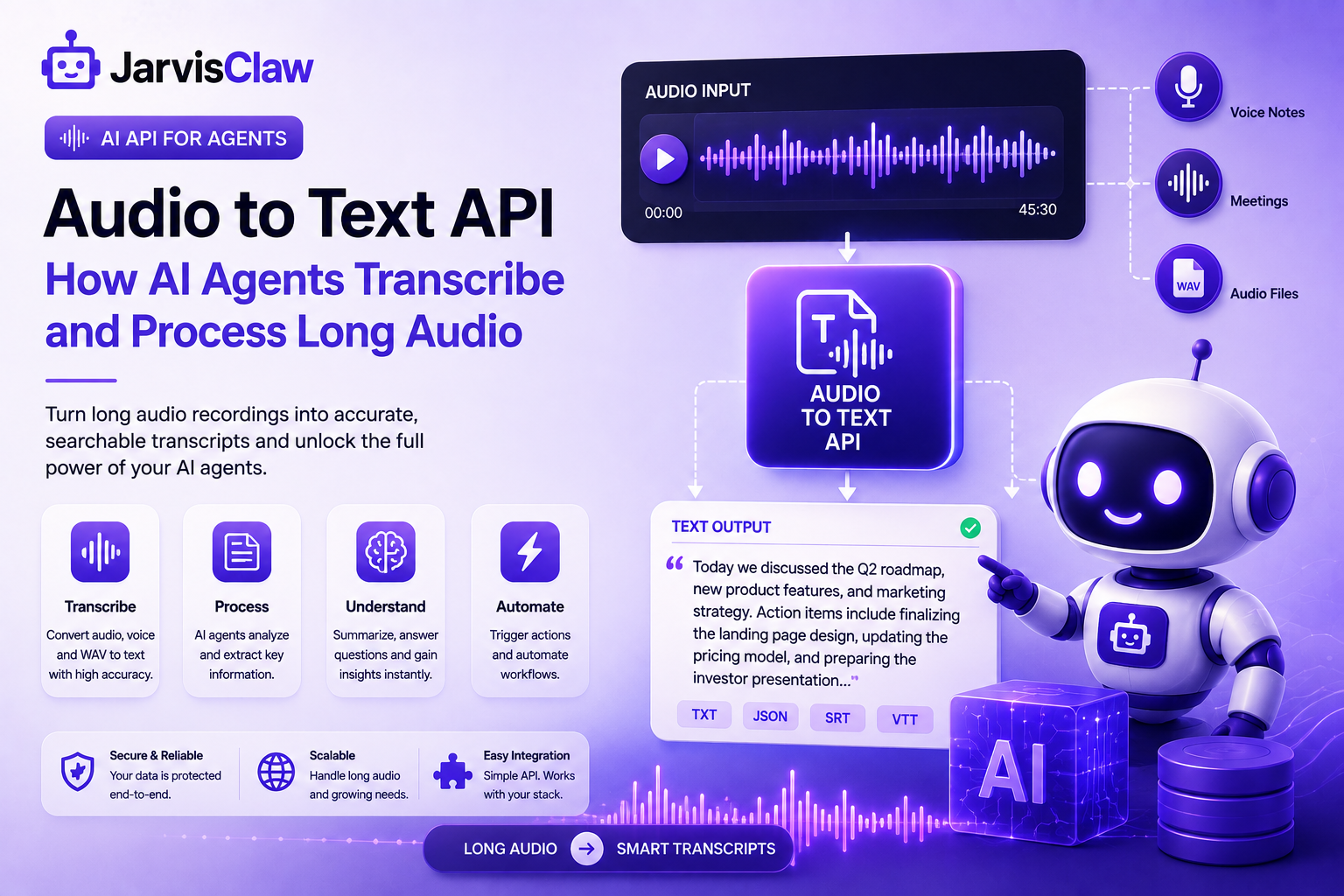
Long audio contains valuable information, but AI agents cannot reason over a recording until that information becomes searchable, structured text.
An Audio to Text API solves this problem by turning spoken language from meetings, interviews, podcasts, customer calls, and voice notes into transcripts that software can analyze.
For developers building AI Agent, the goal is not simply transcription.
The real value is creating a workflow where an agent can receive audio, extract useful information, summarize it, answer questions, and trigger actions.
JarvisClaw provides a speech-to-text endpoint for this workflow.
What Is an Audio to Text API?
An Audio to Text API is a software interface that accepts an audio file and returns a written transcript.
Instead of manually listening to a recording, an application uploads the file and receives text that can be processed by an AI model.
The basic workflow is Audio file → Transcription API → Text transcript → AI agent → Action.
This connects voice data with AI models and automation tools.
Why AI Agents Need Long Audio Transcription
AI agents increasingly work with information generated through natural human communication.
A long meeting may contain decisions, requirements, and action items that an agent needs to understand.
Manually reviewing every recording is slow. Long audio transcription allows an agent to process the conversation as text and identify important information automatically.
A meeting agent could transcribe a recording, summarize the discussion, identify assigned tasks, extract deadlines, and produce a follow-up report.
This makes an Audio to Text API an input layer for intelligent automation.
How JarvisClaw Audio Transcription Works
JarvisClaw exposes speech-to-text through the /v1/audio/transcriptions endpoint.
The endpoint uses a multipart/form-data request, where the audio file and transcription model are submitted together.
The documented model is whisper-1, and the interface is compatible with the OpenAI Whisper API.
Developers can provide a language hint using an ISO 639-1 code. Response formats include JSON, plain text, SRT, verbose JSON, and VTT.
JarvisClaw documents a maximum audio file size of 25 MB and support for formats including MP3, MP4, MPEG, MPGA, M4A, WAV, and WebM.
A basic Python implementation looks like this:
from openai import OpenAI

client = OpenAI(
    base_url="https://api.jarvisclaw.ai/v1",
    api_key="sk-your-api-key"
)

def transcribe_segment(filename):
    with open(filename, "rb") as audio:
        result = client.audio.transcriptions.create(
            model="whisper-1",
            file=audio
        )

    return result.text
The same endpoint can also be called directly with cURL:
curl https://api.jarvisclaw.ai/v1/audio/transcriptions \
  -H "Authorization: Bearer sk-your-api-key" \
  -F file="@meeting-001.mp3" \
  -F model="whisper-1"
What Can AI Agents Do With Transcripts?
Once audio becomes text, an AI agent can perform several tasks.
Summarization: Convert lengthy meetings or interviews into concise summaries.
Question answering: Allow users to ask questions about what was said in a recording.
Information extraction: Identify names, dates, products, requirements, decisions, and action items.
Search: Make recorded conversations searchable using keywords or semantic retrieval.
Classification: Categorize calls, feedback, interviews, or support conversations.
Automation: Trigger another API or workflow based on information discovered in the transcript.
A sales agent could transcribe a customer call, identify purchase requirements, summarize objections, and update a CRM.
Why Use an API for Audio Transcription?
Building speech-recognition infrastructure from scratch can require model management, audio processing, hosting, scaling, authentication, and maintenance.
An API reduces that infrastructure burden.
With JarvisClaw, developers can use a unified API environment and the same authentication approach used across its broader platform.
This is useful when an agent needs transcription alongside chat, search, or other APIs.
The result is simple: send audio for transcription, pass the text to the agent, and let it decide what happens next.
Build Audio-Aware AI Agents With JarvisClaw
Long audio should not remain locked inside recordings.
By converting speech into text, developers can make meetings, interviews, calls, podcasts, and voice messages available to AI agents.
JarvisClaw’s Audio to Text API provides a straightforward way to submit supported audio files, receive transcripts, and connect those transcripts to downstream AI workflows.
As AI agents become more capable, audio understanding will become increasingly important.
Combining transcription with reasoning, retrieval, and automation can turn recordings into actionable business intelligence.
FAQ
What is an Audio to Text API?
An Audio to Text API converts spoken content in an audio file into written text that applications and AI models can process.
Can JarvisClaw transcribe long audio?
Yes. JarvisClaw supports audio transcription, with a documented maximum file size of 25 MB. Larger recordings can be handled by segmenting them into smaller files and processing the segments separately.
What audio formats does JarvisClaw support?
Supported formats include MP3, MP4, MPEG, MPGA, M4A, WAV, and WebM.
Can AI agents summarize transcribed audio?
Yes. Once an audio recording has been converted into text, an AI agent or language model can summarize it, extract information, answer questions, or trigger automated workflows.
What endpoint does JarvisClaw use for speech to text?
JarvisClaw uses POST /v1/audio/transcriptions for speech-to-text requests.
Is JarvisClaw compatible with Whisper?
Yes. JarvisClaw documents its transcription endpoint as compatible with the OpenAI Whisper API and specifies whisper-1 as the transcription model.
You can now download, install, and test our developer tools for free.📦 JarvisClaw MCP on NPM(https://www.npmjs.com/package/jarvisclaw-mcp)🐍 Agent Intent Protocol on PyPI(https://pypi.org/project/agent-intent-protocol/)Built for developers working with AI Agents, MCP, AIP, and multi-model AI workflows.
Start Processing Long Audio With JarvisClaw
Your AI agent doesn’t need to treat a two-hour recording as one enormous request.
Split it. Transcribe it. Retry what fails. Preserve the order. Merge the results. Then let the agent reason over the finished transcript.