
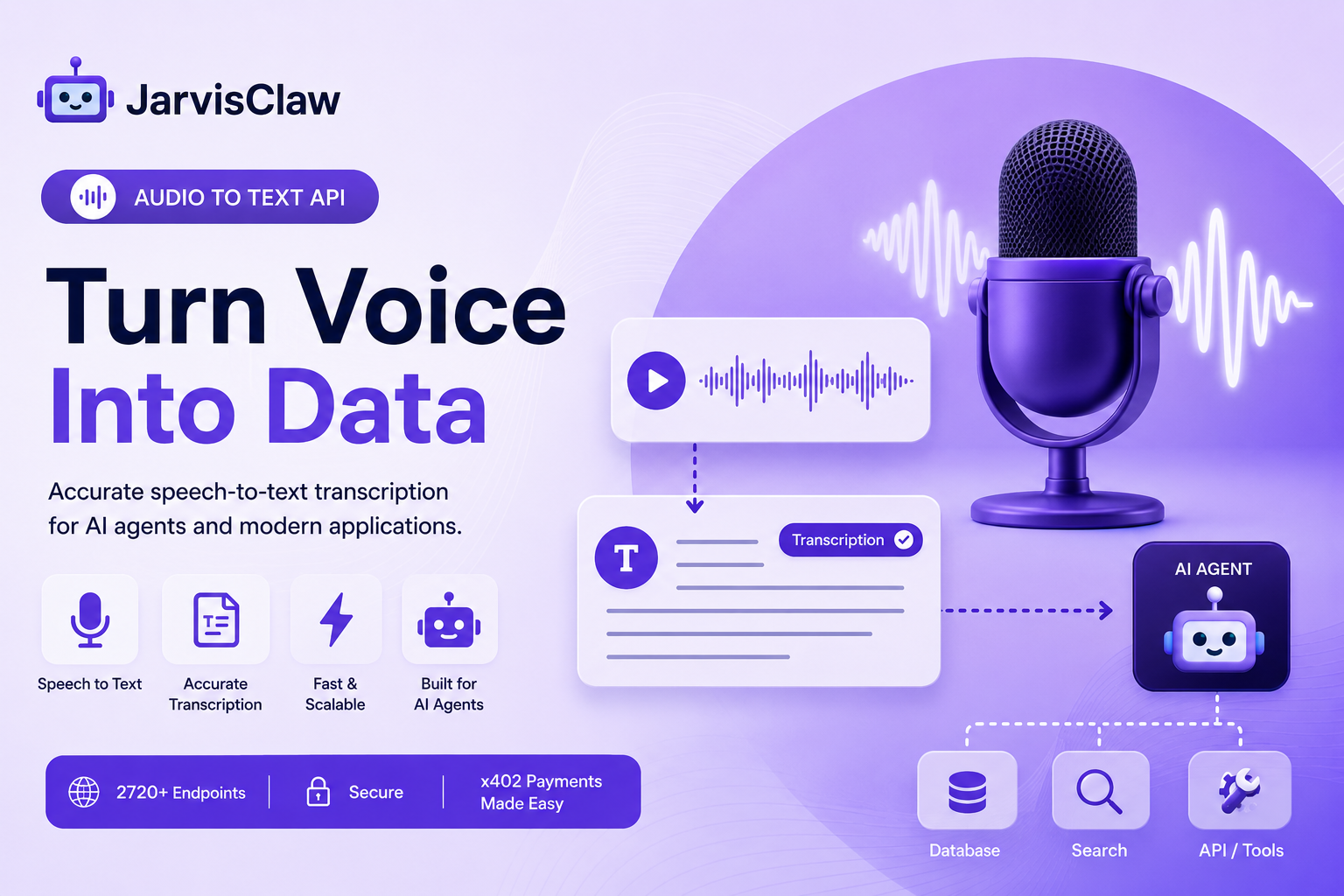
Voice is becoming a practical input layer for AI applications—but an AI agent cannot reliably reason over raw audio.
Before an agent can summarize a meeting, classify a customer call, extract a task from a voice message, or trigger another API, the spoken content must be converted into usable text. An audio-to-text API provides that missing connection.
Also known as a speech-to-text API or audio transcription API, it converts recorded speech into text that software can search, summarize, classify, store, and pass to an AI model.
The important question is no longer simply, “Can this API produce a transcript?”
For production AI agents, developers also need to consider latency, speaker identification, timestamps, language support, audio quality, output structure, error handling, privacy, and cost.
This guide explains how audio transcription fits into an agent workflow, which use cases benefit most, what can go wrong, and what to check before choosing an API.
Quick Answer: What Does an Audio-to-Text API Do?
An audio-to-text API accepts an audio file or recording and returns a written transcription.
A basic workflow looks like this:
Audio file → Speech-to-text API → Transcript
An AI-agent workflow goes further:
Audio → Transcript → LLM analysis → Agent decision → Tool call → Action
For example, a support agent could transcribe a customer call, detect the main problem, search the customer’s account, recommend a solution, and create a follow-up ticket.
The transcription is not the final product. It is the structured input that allows the rest of the agent workflow to begin.
Why AI Agents Need Speech-to-Text
A large amount of valuable business information exists in calls, meetings, interviews, podcasts, voice notes, support recordings, and videos.
Without transcription, that information remains difficult for software to search or process.
Once the audio becomes text, an AI agent can:
- Summarize a meeting.
- Extract decisions and action items.
- Identify customer intent.
- Detect product names, dates, prices, and locations.
- Classify support requests.
- Create subtitles or written content.
- Search a knowledge base for relevant answers.
- Trigger another API or business workflow.
This turns speech-to-text from a standalone conversion tool into part of a larger automation pipeline.
Five Practical Audio-to-Text API Use Cases
1. Meeting Notes and Action Items
A transcription API can convert a recorded meeting into searchable text.
An AI agent can then identify decisions, deadlines, task owners, unresolved questions, and follow-up actions.
A useful output is not just a full transcript. It may include:
- Meeting summary
- Decisions made
- Action items
- Responsible person
- Due date
- Questions requiring follow-up
This structure makes the result easier to send to a CRM, task manager, project-management system, or internal knowledge base.
2. Customer-Support Call Analysis
Support teams can transcribe calls and voice messages before sending the content to an AI model.
The agent can classify the request, identify urgency, detect the product involved, retrieve relevant documentation, and route the issue to the correct team.
A practical workflow might be:
Customer call → Transcription → Intent detection → Account lookup → Recommended response → Support ticket
For higher-risk workflows, a human should review the recommendation before any irreversible action is taken.
3. Podcast and Video Repurposing
Audio transcription can help creators turn one recording into several reusable content formats.
An agent could convert a podcast or webinar into:
- A complete transcript
- Video captions
- A short summary
- A blog outline
- Social media posts
- Key quotations
- Chapter titles and timestamps
This reduces repeated manual work while making audio content easier to search and reuse.
4. Voice Commands for AI Agents
A voice-enabled agent first needs to understand what the user said.
The transcription can be passed to an LLM for intent recognition and parameter extraction.
For example, the instruction:
“Summarize yesterday’s customer calls and list the three most common complaints.”
could become a structured task containing a date range, data source, requested analysis, and output format.
The agent can then retrieve the relevant records, process them, and return the requested summary.
5. Searchable Audio Archives
Organizations may hold hundreds of hours of interviews, calls, training sessions, or internal recordings.
Transcribing this material makes it possible to search for specific names, subjects, products, commitments, and recurring problems.
The text can also be indexed in a retrieval system so an AI assistant can answer questions using information from previous recordings.
What to Check Before Choosing a Speech-to-Text API
Do not select a transcription API based only on a promotional accuracy percentage. Performance changes with accents, noise, microphones, speaking speed, industry terminology, and the number of speakers.
| Evaluation factor | Why it matters |
|---|---|
| Transcription accuracy | Errors can change the meaning of instructions or customer requests. |
| Language support | Confirm the actual languages and dialects used by your customers. |
| Speaker identification | Important for meetings, interviews, and customer calls. |
| Timestamps | Needed for captions, searchable recordings, and audit trails. |
| Batch or real-time processing | Recorded files and live voice agents have different requirements. |
| Output format | Structured JSON is easier for agents to process than unformatted text. |
| File limits | Check supported formats, duration, size, and upload method. |
| Latency | Slow transcription increases the total response time of a voice agent. |
| Privacy and retention | Sensitive audio requires clear storage and deletion policies. |
| Pricing model | Compare cost per minute, per file, and per successful workflow. |
The best API is the one that performs well on your real audio—not necessarily the one with the strongest benchmark claim.
Batch Transcription vs. Real-Time Transcription
Batch transcription processes a completed audio file.
It is suitable for:
- Recorded meetings
- Podcasts
- Uploaded interviews
- Call archives
- Video captions
Real-time transcription processes speech while the user is speaking.
It is more suitable for:
- Live voice assistants
- Contact-center agents
- Voice-controlled applications
- Live captions
- Interactive interviews
Real-time systems usually require additional handling for partial transcripts, interruptions, silence, connection loss, and corrections.
If the application does not need to respond immediately, batch processing is often easier to build and test.
A Production-Ready Agent Workflow
A reliable implementation should do more than upload a file and accept the first response.
A practical workflow is:
- Validate the file type, duration, and size.
- Check that the recording can be accessed safely.
- Send the audio to the transcription API.
- Store the job ID and processing status.
- Retrieve the completed transcript.
- Check whether the response is empty, incomplete, or low quality.
- Convert the transcript into a predictable structure.
- Send only the required text to the LLM.
- Require structured output from the model.
- Validate the proposed action before another tool is called.
Example output:
{
  "summary": "Customer cannot access the billing dashboard.",
  "intent": "account_support",
  "urgency": "medium",
  "entities": {
    "product": "billing dashboard"
  },
  "next_action": "create_support_ticket"
}
This is more useful to an AI agent than a long block of unstructured transcript text.
Common Mistakes That Reduce Accuracy and Reliability
Sending Low-Quality Audio Without Validation
Background noise, overlapping speakers, low volume, and aggressive compression can reduce transcription quality.
Test the API with recordings from the actual production environment rather than relying only on studio-quality samples.
Treating the Transcript as a Perfect Record
Speech recognition can misinterpret names, technical terms, numbers, currencies, and addresses.
Important values should be validated before an agent uses them to make a payment, update a customer record, or perform another sensitive action.
Passing the Entire Transcript to an LLM
Long transcripts can increase token usage and introduce irrelevant context.
Remove silence markers, repeated content, and unnecessary metadata. For long recordings, divide the transcript into logical sections before summarization.
Ignoring Multiple Speakers
A transcript without speaker labels can make responsibilities unclear.
For meetings and customer calls, speaker separation may be essential for determining who made a request, promise, or decision.
Failing to Handle Processing Errors
Production applications should plan for unsupported formats, upload failures, timeouts, incomplete transcripts, duplicate requests, and unavailable services.
Include retries, status checks, logging, and a fallback path when transcription fails.
Using Audio-to-Text Through JarvisClaw
JarvisClaw provides unified infrastructure for discovering and accessing specialized APIs, including audio-related capabilities, AI models, search, data, image, and video tools.
Instead of treating transcription as an isolated feature, developers can combine it with other services in an agent workflow.
For example:
Audio-to-text API → LLM summarization → Search API → CRM or automation tool
This approach allows developers to focus on the business workflow rather than building every underlying capability from scratch.
Before execution, the application should still inspect the selected endpoint’s current parameters, supported input types, output format, availability, and price.
Explore the JarvisClaw API Marketplace to review available services and build a workflow based on the requirements of your application.

Audio-to-Text API Launch Checklist
Before sending production traffic, confirm that you have:
- Tested real customer audio and different accents.
- Verified supported file formats and size limits.
- Chosen batch or real-time processing.
- Defined timeout and retry behavior.
- Added speaker labels where required.
- Validated critical names, numbers, and instructions.
- Defined audio retention and deletion rules.
- Measured complete workflow cost—not only transcription cost.
- Protected API credentials.
- Added human approval for sensitive actions.
- Logged transcription failures and downstream tool calls.
Final Takeaway
An audio-to-text API gives an AI agent access to information that would otherwise remain locked inside recordings.
The highest-value applications go beyond producing a transcript. They convert speech into structured context, validate important information, and connect that context to a controlled workflow.
For meeting assistants, customer-support automation, content repurposing, voice interfaces, and searchable audio archives, speech-to-text can become the first step between a human request and an agent action.
JarvisClaw helps developers combine audio capabilities with AI models and other API tools through unified, agent-ready infrastructure.
Frequently Asked Questions
What is an audio-to-text API?
An audio-to-text API is a developer service that converts spoken language from an audio recording into written text. It is also called a speech-to-text or audio transcription API.
How can AI agents use speech-to-text?
An agent can analyze the returned transcript, extract intent and entities, retrieve information, summarize the conversation, or call another tool based on what was said.
Is audio-to-text the same as speech recognition?
The terms are often used interchangeably. Speech recognition is the underlying technology, while an audio-to-text API is the interface developers use to access that capability.
Should I use batch or real-time transcription?
Use batch transcription for completed recordings such as meetings and podcasts. Use real-time transcription when the application must respond while the person is speaking.
What causes inaccurate transcriptions?
Common causes include background noise, overlapping speech, poor microphones, strong accents, compressed audio, technical terminology, and unclear pronunciation.
Can an AI agent automatically act on a transcript?
Yes, but critical details should be validated first. Human approval is recommended before payments, account changes, messages, or other sensitive actions.
How should developers compare transcription APIs?
Test them with real production audio and compare accuracy, latency, languages, speaker identification, timestamps, output structure, privacy, integration requirements, and total workflow cost.
Build the Future of AI with JarvisClaw
AI is moving beyond individual models toward a connected ecosystem of models, APIs, agents, and intelligent services.
JarvisClaw provides the infrastructure developers need to build this future — combining 80+ AI models, OpenAI-compatible APIs, Smart Routing, MCP support, x402 payments, and AI Agent-ready capabilities in one platform.
Whether you are building AI SaaS products, autonomous agents, automation workflows, or next-generation applications, JarvisClaw helps you integrate faster, optimize costs, and scale with confidence.
One API. Multiple Models. Agent-Ready AI Infrastructure.