
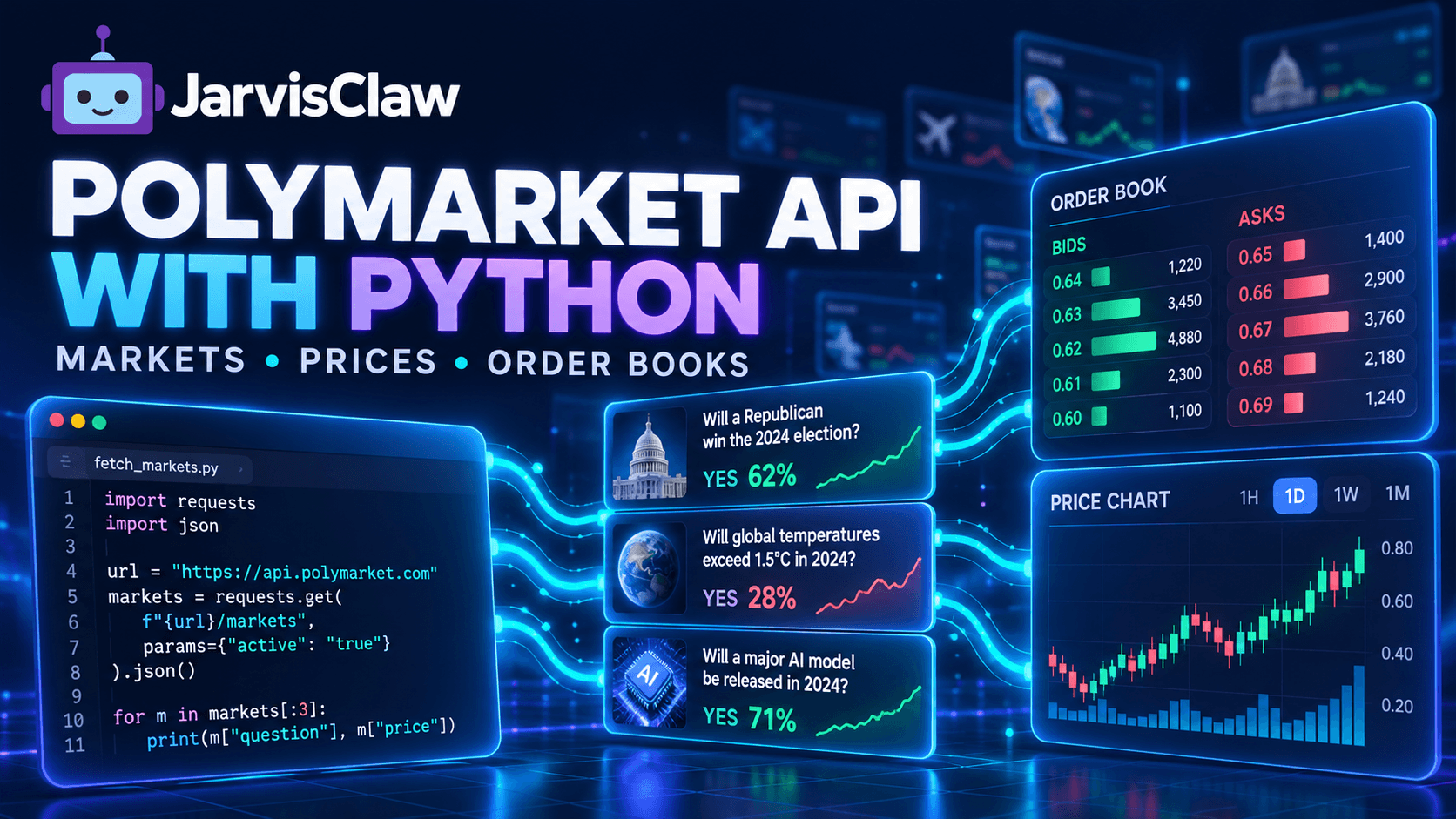
Building a Polymarket dashboard looks simple until you need more than a list of market questions.
A production application may need to search active markets, retrieve outcome prices, identify token IDs, inspect bids and asks, monitor liquidity, process pagination, and control how often data is refreshed.
Integrating each data source separately also creates inconsistent response formats, authentication rules and billing logic.
JarvisClaw provides a unified Prediction Market API that includes Polymarket markets, prices, order books, trades, candlestick data, wallet activity and trader analytics. The same API layer also includes Kalshi, sports and cross-venue data, making it useful for dashboards, research tools and AI agents that may later expand beyond one platform.
This guide shows how to fetch Polymarket data with Python without building unnecessary infrastructure.
What the JarvisClaw Polymarket API Provides
The primary base URL is:
https://api.jarvisclaw.ai/v1/marketplace/predictionThe Prediction Market API currently exposes endpoints for:
- Active and closed Polymarket markets
- Events and market categories
- Current outcome-token prices
- Order book snapshots
- Recent trades
- Candlestick and volume history
- Market liquidity and open interest
- Wallet positions and profit-and-loss data
- Leaderboards, top holders and smart-money activity
- Cross-venue market search
The service is read-only. It can retrieve and analyze market data, but it cannot place an order or execute a trade. The documentation also notes that there is currently no WebSocket stream, so applications must refresh data through controlled polling.
Authentication and Python Setup
JarvisClaw supports API-key authentication and direct x402 wallet payments.
For a conventional backend application, the API-key method is the simplest:
Authorization: Bearer sk-your-api-keyInstall the Python requests package:
pip install requestsStore the key in an environment variable rather than hard-coding it:
export JARVISCLAW_API_KEY="sk-your-api-key"Create a reusable client:
import osimport requestsBASE_URL = "https://api.jarvisclaw.ai/v1/marketplace/prediction"API_KEY = os.environ["JARVISCLAW_API_KEY"]session = requests.Session()session.headers.update({ "Authorization": f"Bearer {API_KEY}", "Accept": "application/json",})def get_prediction_data(path, params=None): response = session.get( f"{BASE_URL}{path}", params=params, timeout=20, ) response.raise_for_status() return response.json()A shared session reuses connections and keeps authentication logic out of individual functions.
Fetch Active Polymarket Markets
Use /polymarket/markets to retrieve a market list.
data = get_prediction_data( "/polymarket/markets", params={ "status": "open", "sort": "volume", "limit": 20, "offset": 0, },)markets = data.get("markets", [])for market in markets: print({ "question": market.get("question"), "yes_price": market.get("yes_price"), "no_price": market.get("no_price"), "volume": market.get("volume"), "liquidity": market.get("liquidity"), "end_date": market.get("end_date"), })The endpoint supports filters such as category, status, sort, limit and offset. The documented maximum page size is 100 results. Available sorting options include volume, liquidity, newest and ending soon.
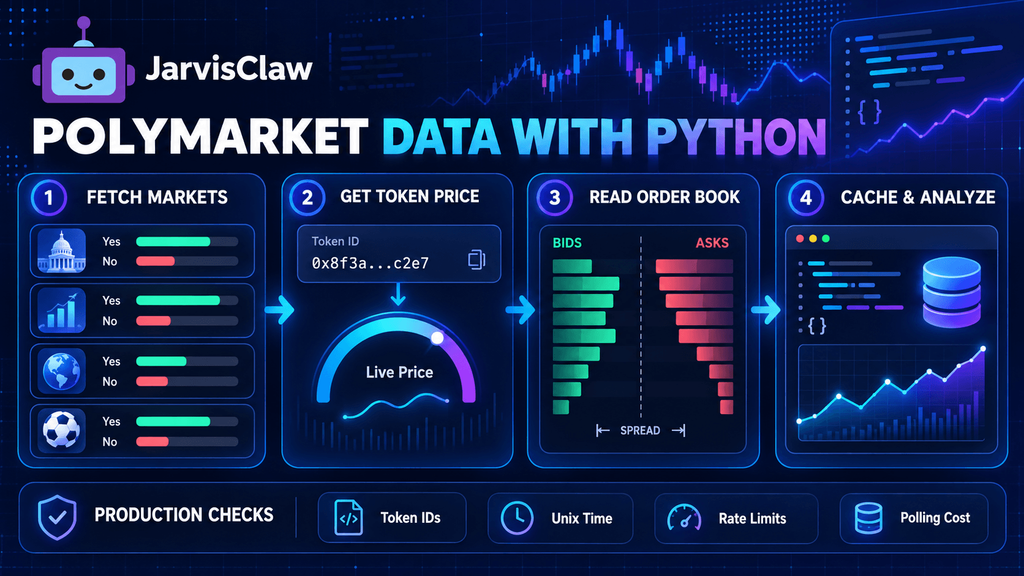
Fetch Markets → Get Token Price → Read Order Book → Cache & AnalyzeDo not automatically download every page on every application refresh. Fetch the markets your interface needs, cache slower-changing metadata, and update prices separately.
Search for a Specific Market
If the user enters a topic rather than a market ID, use cross-venue search:
results = get_prediction_data( "/markets/search", params={"q": "bitcoin"},)for item in results.get("results", []): print( item.get("provider"), item.get("question") or item.get("title"), item.get("yes_price"), item.get("volume"), )This endpoint can return results from Polymarket and other supported venues.
However, cross-venue search is based on text matching. Two markets with similar titles may have different settlement dates, resolution sources or conditions.
A price difference is not automatically an arbitrage opportunity.
Before comparing two contracts, verify:
- The exact question wording
- Closing and resolution dates
- Settlement conditions
- Available outcomes
- Liquidity and executable depth
- Venue-specific fees
This contract-matching step is one of the most important hidden requirements in prediction-market applications.
Fetch a Current Polymarket Price
A Polymarket market can contain one or more outcome tokens. To request a current token price, use:
GET /polymarket/market-price/:token_idExample:
token_id = "YOUR_POLYMARKET_TOKEN_ID"price_data = get_prediction_data( f"/polymarket/market-price/{token_id}")print(price_data)Do not assume the market ID, condition ID and CLOB token ID are interchangeable.
They serve different purposes:
| Identifier | Typical use |
|---|---|
| Market or condition ID | Market-level history, open interest and analytics |
| Token ID | Outcome price and token-specific order book data |
| Wallet address | Positions, activity and PnL |
Store each identifier separately in your database. Naming every field market_id creates difficult bugs when the application later requests token-level data.
Polymarket prices are normally represented as decimals between 0.00 and 1.00. A price of 0.63 can be interpreted as an approximate 63% market-implied probability, but it is not a guaranteed forecast.
Fetch a Polymarket Order Book
JarvisClaw exposes order book snapshots through:
GET /polymarket/orderbooksThe endpoint accepts a token ID and time range:
from datetime import datetime, timedelta, timezoneend_time = datetime.now(timezone.utc)start_time = end_time - timedelta(minutes=10)order_book = get_prediction_data( "/polymarket/orderbooks", params={ "token_id": token_id, "start_time": int(start_time.timestamp()), "end_time": int(end_time.timestamp()), },)print(order_book)Time parameters must be Unix seconds, not ISO-formatted date strings. Response structures can vary by endpoint because the gateway passes upstream Prediction Market data through with limited transformation. Inspect the returned JSON before indexing deeply into it.
A useful order book interface should calculate more than the displayed market price:
def summarize_order_book(book): bids = book.get("bids", []) asks = book.get("asks", []) best_bid = max( (float(level["price"]) for level in bids), default=None, ) best_ask = min( (float(level["price"]) for level in asks), default=None, ) spread = ( best_ask - best_bid if best_bid is not None and best_ask is not None else None ) midpoint = ( (best_bid + best_ask) / 2 if best_bid is not None and best_ask is not None else None ) return { "best_bid": best_bid, "best_ask": best_ask, "spread": spread, "midpoint": midpoint, }The last traded price does not tell you how much liquidity is available. A market may show a price of 0.60, while a larger order can only be filled across several ask levels at a substantially higher average price.
For serious analysis, calculate:
- Best bid and best ask
- Bid-ask spread
- Midpoint price
- Depth within a selected price range
- Estimated average execution price
- Order book imbalance
A Practical Market Monitor
The following simplified loop monitors a token without polling continuously:
import timePOLL_INTERVAL = 30while True: try: price = get_prediction_data( f"/polymarket/market-price/{token_id}" ) print({ "checked_at": datetime.now(timezone.utc).isoformat(), "price": price, }) except requests.HTTPError as error: status = error.response.status_code if status == 429: print("Rate limited. Increasing wait time.") time.sleep(60) continue print(f"API error: {status}") except requests.RequestException as error: print(f"Network error: {error}") time.sleep(POLL_INTERVAL)The documentation warns that heavy parallel usage can return HTTP 429. Use backoff, limit concurrency and add random jitter if many workers refresh simultaneously.
Because this is a pay-per-call service, polling frequency also affects cost. Refresh a high-traffic trading screen more frequently than an archived research page, and stop polling when no user or agent needs the data.
Pricing and Cost Control
JarvisClaw’s current documentation lists the unified Prediction Market endpoints at a flat reference rate of $0.00935 per call. The exact charge should be read from the payment quote or the response’s price.amount, because live prices can change. JarvisClaw
At the reference rate:
1 call every 30 seconds = 2,880 calls per day
2,880 × $0.00935 = $26.93 per day
This example explains why production monitoring should not use one polling loop per visitor.
A better architecture is:
- One backend worker fetches the data.
- The result is stored in Redis or another short-lived cache.
- All website users read the cached snapshot.
- The refresh interval changes according to market activity.
- Polling stops after the market closes.
Also cache market questions, categories and end dates longer than prices or order books. These fields usually change less frequently.
Useful Architecture for AI Agents
A prediction-market agent should not send every raw order book level to a language model.
Calculate deterministic metrics in Python first:
- Current midpoint
- Spread
- Depth
- Price change
- Volume change
- Liquidity threshold
- Cross-venue difference
Then send a compact structured summary to the model.
This reduces token costs, prevents arithmetic errors and makes the agent easier to audit. JarvisClaw’s wider API layer also supports x402 payments, allowing agents to pay per call through machine-readable payment requests rather than maintaining separate subscriptions for each data provider.
Final Takeaway
A useful Polymarket integration requires more than displaying a Yes price.
Developers need reliable identifiers, controlled pagination, correct Unix timestamps, depth-aware order book calculations, caching, rate-limit handling and a clear polling budget.
JarvisClaw provides one API layer for Polymarket market lists, token prices, order books, trades, historical data and wallet analytics. It also leaves room to add Kalshi or cross-venue comparison without rebuilding the complete data pipeline.
Start with a small set of active markets, store IDs carefully, cache stable metadata and measure cost per useful update. That produces a more reliable application than simply requesting every endpoint as quickly as possible.
Explore the JarvisClaw API Marketplace and review the Prediction Market API documentation before deploying a production polling strategy.
FAQ
Is there an official Polymarket API endpoint in JarvisClaw?
Yes. Polymarket data is available under:
https://api.jarvisclaw.ai/v1/marketplace/prediction/polymarket/Different paths provide markets, prices, order books, trades, wallet data and market analytics.
Can I place Polymarket orders through this API?
No. The documented Prediction Market endpoints are read-only. They provide data but do not execute trades or place orders.
Does the API support real-time WebSocket streaming?
Not currently. Applications must poll the relevant REST endpoints. Use caching and controlled intervals to avoid unnecessary cost and rate-limit errors.
What is the difference between a condition ID and a token ID?
A condition ID identifies the overall market, while a token ID identifies a specific outcome. Token IDs are generally required for current outcome prices and token-level order book requests.
How do I interpret a Polymarket price?
A decimal price such as 0.65 represents an approximate market-implied probability of 65%. It is a traded market price, not a guaranteed probability or prediction.
How frequently should I refresh Polymarket prices?
The correct interval depends on market activity and application requirements. A public dashboard may use a 15–60 second shared cache, while research pages can refresh less frequently.
How can I reduce Polymarket API costs?
Cache responses, share one backend feed across users, stop polling inactive markets, avoid downloading unchanged metadata, and increase polling intervals during low activity.
Can I compare Polymarket and Kalshi through the same API?
Yes. JarvisClaw provides cross-venue search and separate venue endpoints. Verify contract wording, dates and settlement rules before treating price differences as comparable.